Free · Offline-First · Made in the Philippines
Dues, fees, contributions, fundraisers — for school treasurers, HOAs, teams, churches, and events. Record every payment in seconds, and always know who's paid and who's not.
No account. No ads. No credit card. Ever.

Who it's for
Sinking funds, uniforms, field trips, PTA dues — track a whole class or section without a spreadsheet.
Monthly association dues, sinking funds, and special assessments, per household.
Uniforms, tournament fees, jerseys — know exactly who's squared up before game day.
Pledges, building funds, ministry contributions — organized without a shared spreadsheet.
One-time collections for a trip, a gift, a wake, a wedding — set it up in a minute, close it when you're done.
How it works
Name it after your class, org, or event. That's the whole setup.
Add names one by one, paste a whole list at once, or snap a photo — Kolekta reads handwritten or printed names for you.
Tap once to log who paid, how much, and how — Cash, GCash, Maya, or Bank.
Check daily, weekly, monthly, or custom reports, and share a summary in one tap.
See it in action
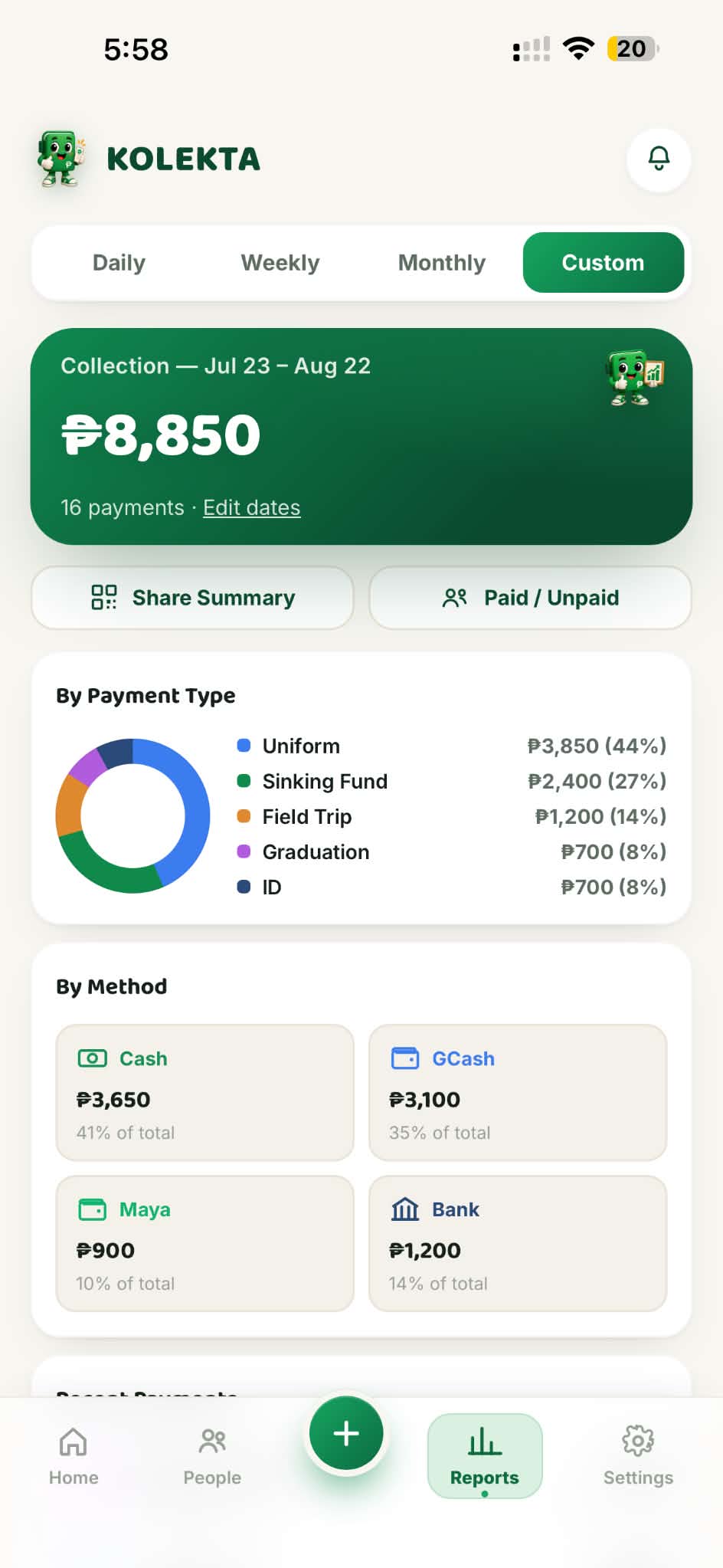
Daily, weekly, monthly, or any custom date range you pick — see totals by payment type and by method at a glance, plus a running log of every payment recorded.
Everything in the app
Run separate collections for each class, org, or event — each with its own people and its own numbers.

Add names one at a time, paste a whole list, or scan a photo — OCR reads names straight off a page.

One-time, weekly, semi-monthly, monthly, or quarterly — each category keeps its own due dates automatically.

Paid, advance, due, and overdue are calculated for you — payments apply to the oldest unpaid period first.

Send a one-tap reminder to anyone with a balance, or share a QR code that works even offline.

Daily, weekly, monthly, or custom — totals by type and by payment method, ready to share.

Nothing lives on a server. Export a backup any time, and restore it on a new phone in seconds.

Every edit is logged with a timestamp, and paid entries are locked from accidental taps.
Built on trust
Kolekta keeps everything on your own device — no account, no cloud, nobody else can see your collection unless you choose to share it. Export a backup any time, and you're always in control of your records.
Questions
Yes — completely free, with no ads, no subscriptions, and no hidden fees. If Kolekta's been useful to your organization, there's an optional tip jar in Settings, but it's never required.
No sign-up, no login, no email required. Open the app and start recording — everything runs and stays on your own device.
Yes. Kolekta is offline-first — recording payments, browsing people, and checking reports all work with no connection at all.
Export a backup file any time from Settings, and import it on a new device to pick up exactly where you left off. We'd recommend backing up regularly, especially before a big collection period.
Yes — create as many separate collections as you need. A class section, an HOA, a team, and a church fund can all live in the same app, fully separated from each other.
No. Kolekta doesn't have servers or user accounts, so there's nothing to share in the first place. Data only leaves your device if you choose to export, share, or generate a QR code yourself.
Free forever. No account. Works offline.